
Uptown Pokies in Your Pocket
We are Uptown Pokies, and our app opens straight in your phone's browser, so there is nothing fiddly to download. Tap the share button, choose "Add to Home Screen", and your favourite pokies sit one touch away, right next to your email and the weather.

Introduction to the Uptown Pokies App
A plain guide to playing on your phone, one step at a time.
We are Uptown Pokies, and this page explains how our casino works on a phone or tablet. If you have only played on a big computer before, that is fine. The mobile version has the same games, the same account and the same balance in AUD, so you can start on one device and carry on with another.
Most people come for the pokies. You will find Gates of Olympus, Book of Dead and Starburst in the lobby, with titles from Pragmatic Play, NetEnt and Push Gaming. If you like a real dealer, the Evolution live tables are there too. There is also a poker section and a betting area, so there is no need to switch apps.
Paying in and taking money out takes a few taps. You can use Visa or Mastercard, or crypto such as Bitcoin, Litecoin and Ethereum if the grandkids have set you up with a wallet. New players can claim a welcome package of up to 250% plus 350 free spins. Read the terms first, because wagering rules apply.
If you get stuck, help is close by. You can open live chat from the menu, send an email or ring the phone line. Below, we go through installing, logging in and playing, step by step.
Mobile Site vs App: Which One Suits You
A plain look at both ways to play Uptown Pokies on your phone.
When my grandson first set me up, I asked him the same thing you might be asking now: do I need to download something, or can I just open the website? Here is what I worked out after a few months of playing both ways.
The mobile site runs straight in your phone browser, Safari or Chrome. You type in the address, log in, and you are playing Gates of Olympus or Book of Dead within a minute. Nothing to install, nothing taking up room on the phone.
The app version is really a shortcut saved to your home screen. It opens faster and remembers your login, which saves my eyes from typing passwords on a small keyboard. The games, the 250% welcome bonus with 350 free spins, and the AUD balance are the same either way. I use the shortcut at home and the browser when I'm on someone else's phone.
| Feature | Mobile site | App (home screen) |
|---|---|---|
| Installation | None, open in browser | Add once to home screen |
| Storage used | Almost nothing | A few megabytes |
| Login | Type details each visit | Stays signed in |
| Game library | Full: Evolution, Pragmatic Play, NetEnt, Push Gaming | Same full library |
| Live dealer tables | Yes | Yes |
| Deposits | Visa, Mastercard, Bitcoin, Litecoin, Ethereum | Same methods |
| Welcome bonus | 250% + 350 free spins | 250% + 350 free spins |
| Updates | Automatic | Automatic |
| Best for | Shared or borrowed phones | Your own phone, daily use |
How to Download Uptown Pokies on Android
A few plain steps to get the casino onto your Android phone or tablet.
Most people I know play on their phones now, and Android is the most common one in the house. Uptown Pokies doesn't sit in the Google Play Store, and that's normal for real-money casinos. You get it straight from our own website instead. It takes about five minutes, even if you go slowly and read each screen.
Once it's on your phone you get the same lobby as the desktop site. That means Gates of Olympus, Book of Dead and Starburst, plus live tables from Evolution. You can deposit in AUD with Visa, Mastercard, Bitcoin, Litecoin or Ethereum. The welcome offer of 250% plus 350 free spins can be claimed from the app as well.
My tip: plug the phone in and use your home Wi-Fi before you start. A dropped connection halfway through is the usual reason a download fails.
Use Chrome or the browser that came with your phone and type in the Uptown Pokies address. Tap the menu and look for the Android app link.
Tap the download button. Your phone may warn you that the file comes from outside the Play Store. That's expected, so tap OK to keep it.
Go to Settings, then Security, and switch on installing apps from your browser. Older phones call this setting Unknown Sources.
Open the file from your Downloads folder and tap Install. When it finishes, an Uptown Pokies icon appears on your home screen.
Tap the icon, then log in with your usual details or make a new account. After that, switch the unknown sources setting back off.
Installing Uptown Pokies on iOS
No App Store download needed, just Safari and a few taps.
Let me tell you how I got Uptown Pokies onto my iPhone, because it turned out simpler than I expected. There is no app to find in the App Store. Instead, you save the website to your Home Screen, and it opens full screen with its own icon, the same as any other app.
It works on iPhones and iPads with a recent version of iOS. You get the same games as on the computer, so Gates of Olympus, Book of Dead and Starburst are all there, along with the live tables from Evolution. Deposits in AUD by Visa, Mastercard or Bitcoin work just as they do on the desktop site.
Use Safari, not another browser. Type the Uptown Pokies address into the bar at the top and let the page load.
Look at the bottom of the screen for a little square with an arrow pointing up. Give it a tap.
Scroll down the list a bit until you see this option. You can keep the name as it is or shorten it.
It sits in the top right corner. The red Uptown Pokies icon will now show up next to your other apps.
Open the new icon and sign in. Tick the remember me box if you like, so you won't have to type your password every time.
Full App Features Explained Step by Step
What you can do in the Uptown Pokies app, put in plain words.
Every pokie from the desktop site is in the app too. You'll find Gates of Olympus, Book of Dead and Starburst, plus titles from Pragmatic Play, NetEnt and Push Gaming. Tap a game once to try it.
The live tables run on Evolution, so a real dealer deals the cards on your screen. Poker has its own tab as well. If you'd rather watch for a while before you play, that's fine too.
The welcome offer is 250% plus 350 free spins. My advice: open the Promotions page and read the terms first. Then claim it and start with a small deposit.
You can top up in AUD with Visa or Mastercard. Bitcoin, Litecoin and Ethereum work as well. Pick a method, type the amount and confirm. Your balance updates in the corner.
If you get stuck, press the chat bubble and a real person replies. Email and phone are also listed under Support. Nobody will rush you.
Betting sits in its own section, away from the pokies. Choose a match, tap the odds and enter your stake. Check the bet slip before you send it.
Screenshots of the Uptown Pokies App
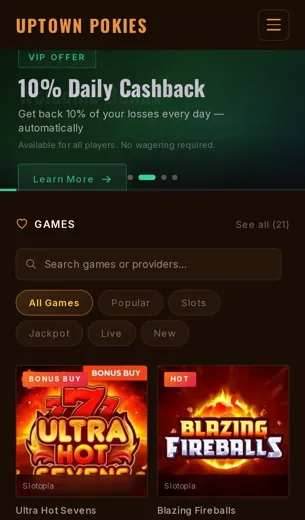
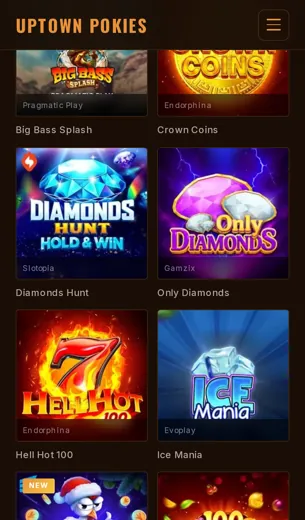
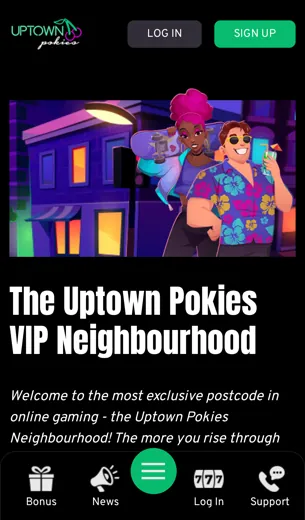
Six screens from the app, each with a short note on what you can do there.
Before you download anything, it helps to see what you are getting. My grandson showed me these screens on his phone, and I'll go through them the same way he did with me, one at a time.
The app opens on the lobby. The big pokies like Gates of Olympus, Book of Dead and Starburst sit near the top, and the categories run along a strip you can swipe. Tap a category and the list changes. If you want to go back, tap the arrow in the corner.
The cashier is where your money goes in and comes out, all in AUD. You can pick Visa, Mastercard, Bitcoin, Litecoin or Ethereum. Type in the amount, check it twice, then press confirm. The welcome offer of 250% plus 350 free spins is shown on the promotions screen, so you can read the terms before you claim it.
Last of all, the help screen. Live chat is the quickest way to get an answer. Phone and email are there as well if you'd rather talk to someone or write it all down.

Your First Deposit Bonus on the App
A 250% match plus 350 free spins, explained one step at a time.
When you make your first deposit in the Uptown Pokies app, we add a 250% match bonus to your balance and give you 350 free spins on top. Put simply, for every dollar you deposit, we add two and a half more in bonus money. All amounts are in AUD, so you don't have to work out any currency conversions.
Here is how it goes. Open the app, sign in, and tap the cashier button. Pick how you want to pay. Visa and Mastercard work fine, and so do Bitcoin, Litecoin and Ethereum if you prefer crypto. Type in your amount and confirm it. The bonus usually shows up in your balance within a minute or two.
Your free spins are for pokies, and popular titles like Gates of Olympus, Book of Dead and Starburst are all in the lobby. Take a moment to read the bonus terms before you play. They tell you the wagering requirement, which games count towards it and how long the offer stays open. If anything looks confusing, our live chat team is happy to go through it with you.
Uptown Pokies App FAQ
Plain answers to the things people ask us most about playing on a phone.
Do I need to download anything to play on my phone?
No. Open the Uptown Pokies site in your phone browser, sign in, and the games load right there. You can add a shortcut to your home screen so it opens like an app.
Which games can I play on mobile?
The same ones as on a computer. Popular picks are Gates of Olympus, Book of Dead and Starburst, plus poker, live tables and betting.
Who makes the games?
Evolution, Pragmatic Play, NetEnt and Push Gaming. Evolution runs most of the live dealer tables.
Can I claim the welcome bonus on my phone?
Yes. The welcome offer is a 250% bonus with 350 free spins, and you claim it from the cashier just as you would on a desktop.
What currency does the app use?
Your balance is shown in AUD, so you always know what you are spending.
How do I put money in?
Tap the cashier, choose a method, type the amount and confirm. We take Visa, Mastercard, Bitcoin, Litecoin and Ethereum.
Are crypto payments harder on a phone?
Not really. You copy the wallet address we show you, paste it into your crypto wallet and send. Take your time and check the address twice.
Can I play live dealer games on mobile data?
You can, though live video uses more data. Wi-Fi is the kinder choice for long sessions.
How do I get help if something goes wrong?
Use live chat from the menu for the quickest reply. Phone and email support are also there if you prefer to talk or write.
Is my account the same on phone and computer?
Yes. One login, one balance and one bonus history across every device.
Where can I read about licensing?
Our licence details are listed in the legal section at the bottom of every page.